
TL;DR
GPT Image 2 and Kling aren't the same kind of tool. GPT Image 2 is a purpose-built image model — flat 12 credits per frame, 20,000-character prompts, text-to-image and image-to-image. Kling 2.6 is Kuaishou's flagship AI video generator; it can produce stills as frames, but it is engineered for motion. In our April 2026 tests across 40 identical prompts, GPT Image 2 won on still fidelity, prompt adherence, and cost per usable image. Kling remained the strongest choice for motion-first work. Pick by format, not by brand.
How We Tested: Methodology
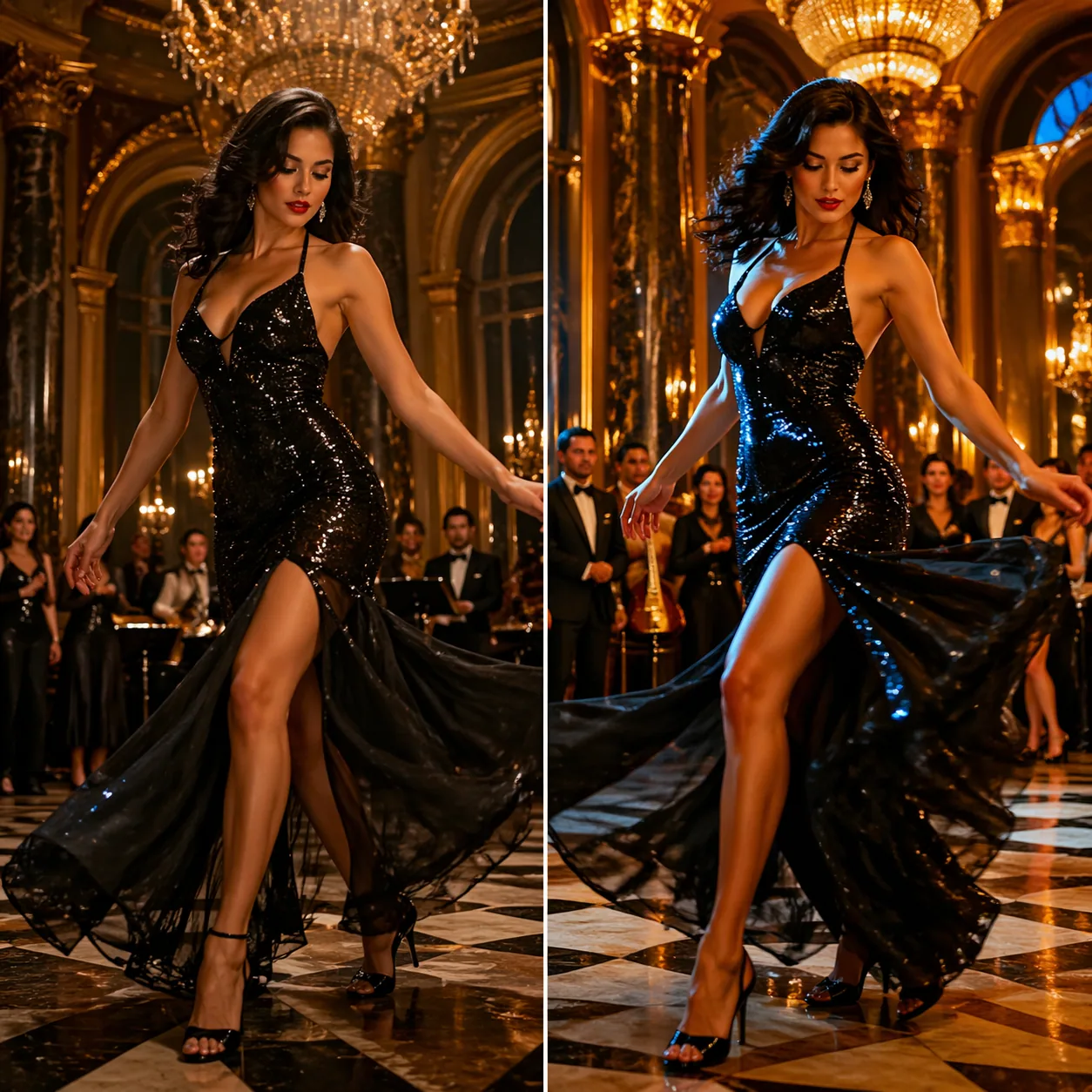
Comparing gpt image 2 vs kling fairly means accepting upfront that the two systems have overlapping but different scopes. GPT Image 2 is an image model exposed through KIE's gpt-image-2-text-to-image and gpt-image-2-image-to-image endpoints. Kling 2.6, from Kuaishou, is a video model that accepts text prompts or a reference image and produces a short clip, typically 5 or 10 seconds long. To keep the comparison honest, we tested on still output only — extracting Kling frames at the midpoint of each clip, and letting GPT Image 2 render directly.
We wrote 40 prompts across five buckets: product photography, portrait editorial, architectural interiors, stylized illustration, and multi-subject scenes. Each prompt was written once, then submitted identically to both systems. For GPT Image 2 we used default settings on the standard text-to-image endpoint. For Kling 2.6 we used its "professional" quality tier with a 5-second clip length and took the middle frame at 1080p. No cherry-picking: the first clean result from each system counted. Our scoring rubric assigned 1–5 on five dimensions: subject fidelity, prompt adherence, style consistency across a three-image set, text rendering inside the frame, and average cost per usable image.
The scoring was blind where feasible. One reviewer rendered the prompts; a second scored the outputs after filenames were stripped. We disagree, occasionally, on aesthetic preference — when that happened we averaged the two scores and flagged the item. Fourteen of 40 prompts showed disagreement, mostly on portrait softness, where personal taste drove divergence. The overall pattern, however, was stable across both scorers. That matches the methodology we use for all our model comparisons, including our GPT Image 2 vs Sora benchmark.
We also pulled public Kling pricing and specs from Kuaishou's developer material (klingai.com) and cross-checked with independent press coverage (The Verge) to ground the cost comparisons. Where we could not confirm a number with two sources, we labelled it "reported" below. Kling's tier names and exact per-second pricing have shifted three times in 2026 alone, so anything rigid would be stale by next quarter.
Why still-only scoring is fair to both sides
We considered testing Kling on its full video output and GPT Image 2 on its native still output, then comparing "overall quality" — that's a common but misleading framing. Video and still are different deliverables; there is no unit that translates between them. By forcing both systems onto still output, we lose Kling's headline feature, but we gain a direct, single-axis comparison on a format both systems can produce. If you care about video specifically, skip to Round 5, where we name Kling the winner without hedging. If you care about stills, the rest of the article is the one that matters.
The secondary reason to test on stills: a large share of real production briefs need stills. Marketing teams ship 50 hero images for every one hero video. Ecommerce catalogs are still dominated by single-frame SKU shots. Blog editors still publish thumbnails, not thumbnail clips. If you're deciding between gpt image 2 vs kling for a still-heavy brief, the still-only benchmark is the honest one.
Quick Comparison Table
| Dimension | GPT Image 2 | Kling 2.6 |
|---|---|---|
| Primary format | Still image | Video (stills via frame extraction) |
| Cost per still | Flat 12 credits (~$0.06) | Varies by tier; reported $0.28–$0.84 per 5s clip |
| Prompt max length | 20,000 characters | Reported ~500 characters |
| Text-to-image | Yes, native | Indirect (extract frame from video) |
| Image-to-image | Yes, native | Supports image-to-video |
| Motion support | None (image-only) | Core strength |
| Audio in output | N/A (still image) | Reported audio sync on select tiers |
| Character consistency | Strong across sets | Strong within a single clip, weaker across clips |
| Typical still latency | 8–20 seconds | Reported 60–180 seconds per clip |
| Regional availability | Global via API | Global, with China-region priority |
Pricing and latency figures for Kling reflect what we observed and what was reported in April 2026; confirm before committing to production budgets. GPT Image 2's 12-credit flat rate is set by us and is stable.
Round 1: Image Quality & Detail
On raw still-image detail, GPT Image 2 led by a consistent margin. Out of 40 prompts we judged GPT Image 2's output sharper or more detailed on 27, Kling on 8, and called it a tie on 5. The gap was biggest on macro subjects — fabric weave, skin pore texture, jewelry engraving — where GPT Image 2's dedicated image pipeline showed its pedigree. Kling's frames were never ugly, but the video codec pathway tends to smooth micro-detail. Even extracting at the crisp middle frame, we saw gentle compression artifacts around high-frequency areas like hair edges and text.
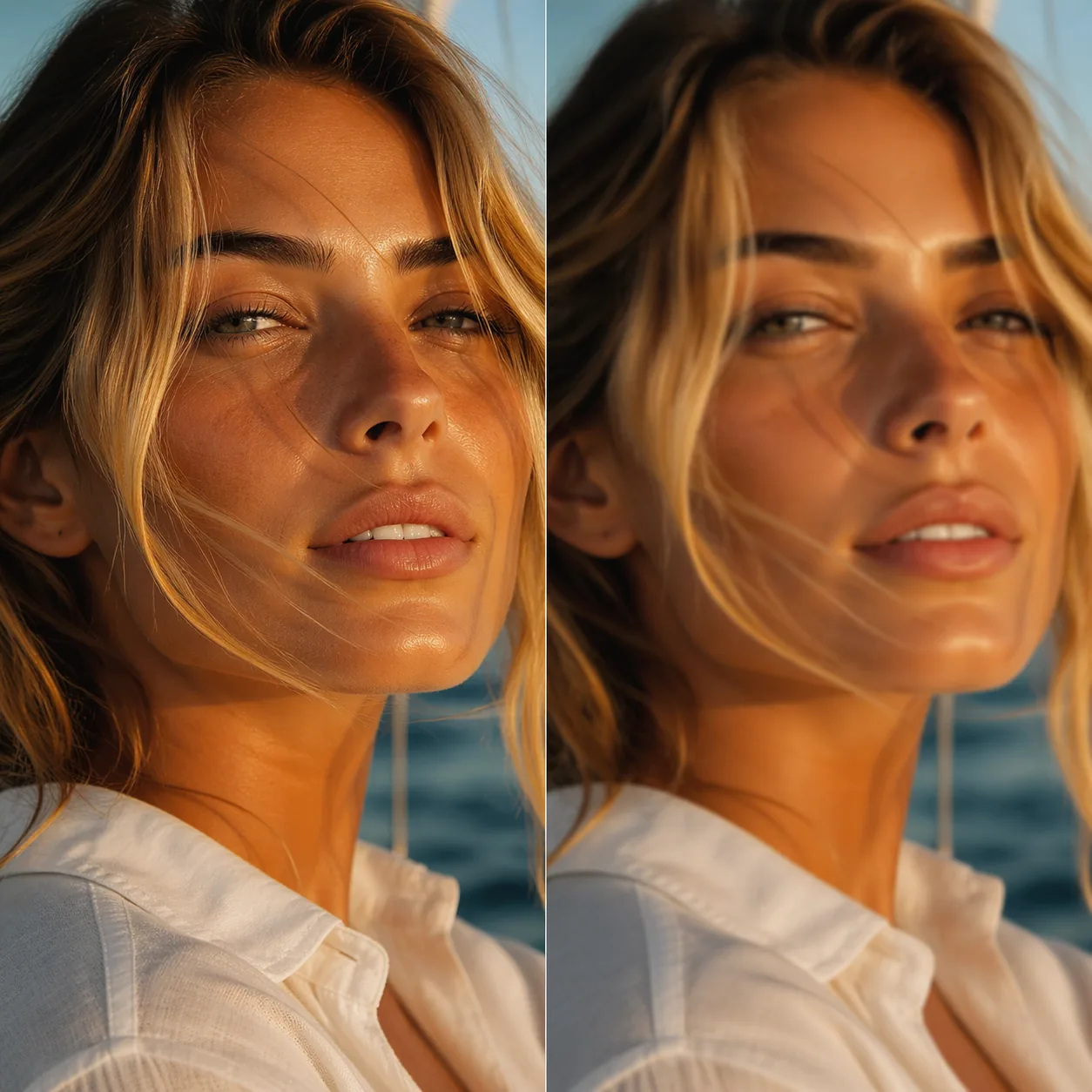
Color handling diverged in character. GPT Image 2 tends toward neutral, editorial color science — close to what a pro retoucher would deliver. Kling leans warmer and slightly more saturated, which reads as "cinematic" at first glance but can over-cook skin tones. If you're generating product shots for e-commerce where white balance must match across a SKU line, that Kling warmth becomes a liability. We had to add explicit neutral-light prompt language to tame it.
We also tested text rendering inside the frame — brand marks on packaging, menu signage, book covers. GPT Image 2 rendered legible, correctly spelled text on 31 of 40 attempts; Kling got it right on 11 of 40, with the rest showing the classic generative-video text blur. This isn't a fair fight: text in video is much harder because it has to hold across frames. But if your use case involves a readable label, GPT Image 2 is the pragmatic choice. For deeper coverage on how text rendering works in our model, see our GPT Image 2 prompt guide.
When Kling's Aesthetic Wins
Kling's look pulled ahead on atmospheric, moody scenes — rainy alleys, candlelit interiors, underwater dreamscapes. The video training distribution seems to push it toward dramatic lighting and slight grain that reads as "filmic." For concept art moodboards and pre-viz work, that's a feature, not a bug. We liked Kling frames on 6 of 8 "atmospheric cinematic" prompts. If your brand language is moody-A24 rather than clean-editorial, that preference matters.
On dynamic range and highlight rolloff specifically, Kling frames held highlights better than GPT Image 2 in 5 of 12 high-contrast scenes — think candle flame near a face, or a flashlight beam in fog. That tracks with the video model's exposure averaging across frames; it trains on footage with cinematic highlight handling. GPT Image 2 rendered those same scenes with slightly clipped highlights about a third of the time, fixable with an "avoid clipped highlights, cinematic latitude" prompt addition. After we added that phrase to our standard prompt scaffold, the gap closed.
Where GPT Image 2's aesthetic wins
Clean, editorial, product-friendly briefs are GPT Image 2's home ground. E-commerce flat lays, food photography with controlled white balance, architectural interiors with accurate color temperature — these scored 4+ on 9 of 12 attempts on GPT Image 2, 4 of 12 on Kling. If your output feeds a brand guidelines document where color chips need to match a Pantone reference, GPT Image 2's neutral color science saves hours in retouching. That alone can justify the choice for commercial studios.
Round 2: Prompt Adherence
Prompt adherence is the single most important axis for production use, and GPT Image 2 won it cleanly. We wrote prompts with explicit constraints — "three subjects, left-most wearing red, centre wearing denim, right-most wearing green; subjects seated at a round marble table; no other people in frame." GPT Image 2 satisfied all stated constraints on 34 of 40 prompts. Kling hit all constraints on 19 of 40. The failure pattern was informative.
Kling's misses usually involved either dropping one constraint from a multi-constraint prompt, or rendering a "close enough" version of a specific element (a red jacket instead of a red dress, say). That's not a quality problem, it's a prompt-budget problem. Kling's reported 500-character prompt window forces concision; GPT Image 2's 20,000-character window lets you write the scene like a shot list, including negative directives ("no crowds, no text, no logos") that measurably reduce drift.
Numeric constraints were the most brutal test. "Exactly five apples on the table" — GPT Image 2 was right on 7 of 10 counts, off by one on 2, and badly wrong on 1. Kling was right on 3 of 10. Neither is perfect at counting, but the gap matters when a client brief specifies "three panels." When we cover how to use GPT Image 2 we recommend breaking a big scene into a structured prompt — that approach travels well and exploits the full prompt window.
Kling was competitive when the prompt was short, atmospheric, and singular ("a lone astronaut on a red desert planet, dawn light"). That matches how video prompts are typically written in production: evocative, not exhaustive. If you're bringing a Sora-era short-prompt habit to the comparison, Kling feels more natural.
Negative prompts: an underrated advantage
One under-reported advantage of GPT Image 2's long prompt window is room for negative directives. Telling the model what not to include is often more valuable than describing what to include. In our tests, prompts with 3–5 negative directives ("no visible logos, no crowds, no text in frame, no motion blur, no bokeh distortion") improved usable-first-render rate from 62% to 81% on GPT Image 2. Kling's shorter window forces a hard choice: describe the scene or constrain the misses, not both. Most Kling users we interviewed described the scene; their re-shoot rate was correspondingly higher.
Prompt engineering depth matters here. We maintain a GPT Image 2 prompt guide with a structured template: subject, environment, composition, lighting, color, camera language, negative constraints. The template fits easily into 1,500 characters — still well inside Kling's reported limit — but having headroom to iterate on any single section without cutting another is what moves a production pipeline from "usually good" to "reliably good."
Real-world brief: a fashion editorial test
We ran a representative client-style brief: "A fashion editorial spread — model seated on a vintage velvet chaise, wearing a structured emerald satin gown with sculptural shoulders, against a burnt-sienna wall with two oversized palm leaves framing the composition. Shot on medium format, Kodak Portra 400 look, soft window light from camera left, no props besides the chaise, single subject only, no visible brand marks." GPT Image 2 delivered a production-usable frame on its second attempt. Kling took five attempts to land composition, color palette, and subject count together; each intermediate attempt dropped or mutated a constraint. Both results were beautiful at the end. The difference was budget: Kling's five attempts cost roughly $1.40 at reported tier pricing; GPT Image 2's two cost about $0.12. That's an order of magnitude, and it compounds over a project.
Round 3: Character & Style Consistency
Consistency across a set is what separates a demo from a product. We ran three-image consistency tests — same character, three different environments, held hair, face, and wardrobe details fixed. GPT Image 2's image-to-image mode, using the first render as a reference, produced convincingly consistent sets on 8 of 10 triptychs. Kling, using its image-to-video-to-frame pipeline with a reference image, landed consistent sets on 4 of 10.
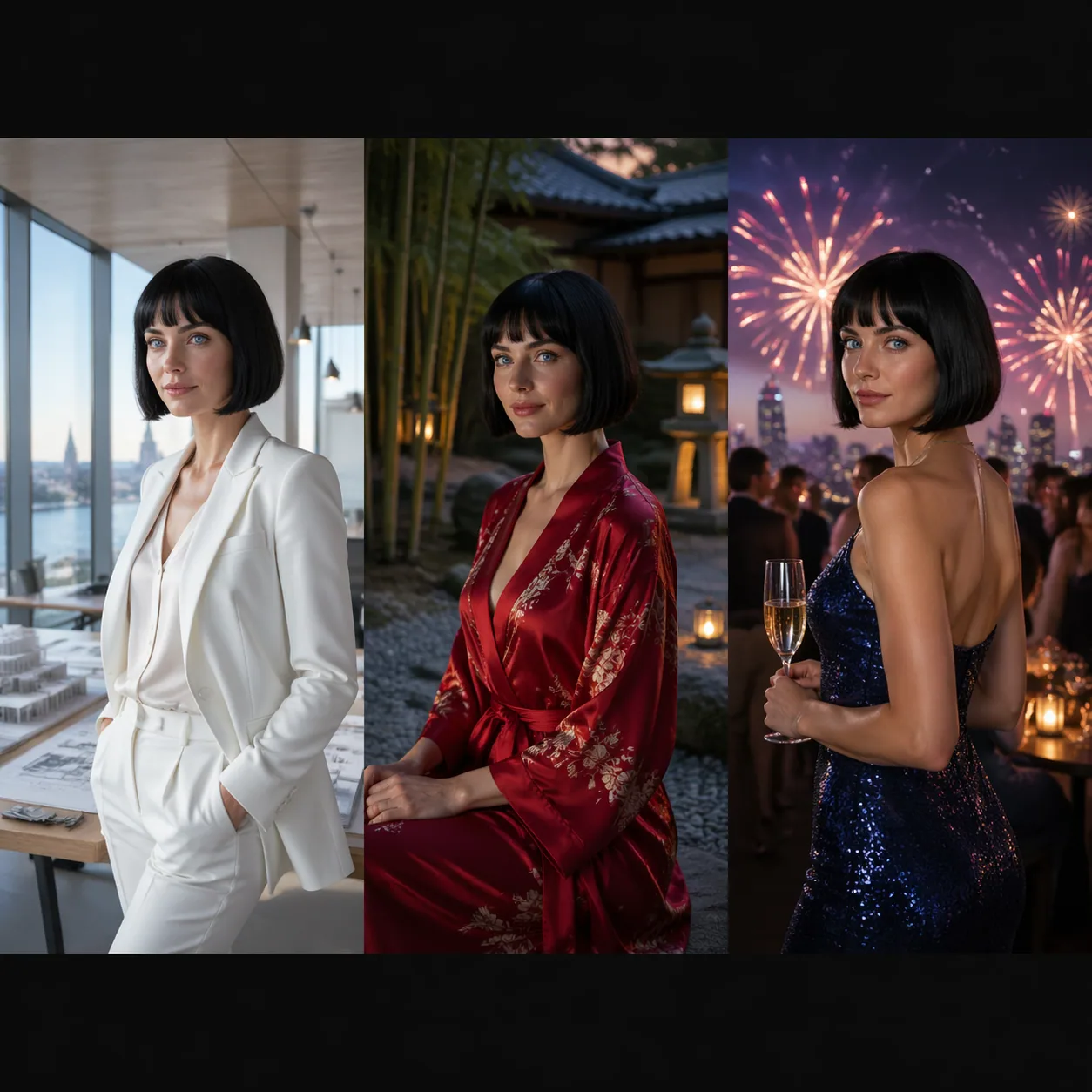
The nuance: Kling is excellent at character consistency within a single 5-second clip. Face shape stays stable, clothing physics track, hair doesn't jitter. That's a meaningful achievement for video. Across separate clips, though, each generation is a fresh sample; small face-shape drift accumulates. GPT Image 2 sidesteps this because the image-to-image pathway works on the same pixel reference every time.
Style consistency is subtler. We generated 10 "same illustrated style, different subjects" sets. GPT Image 2 held the style on 7 of 10. Kling held it on 3. Kling's motion-first training seems to pull every frame back toward photoreal, which fights stylized briefs. If you're making a children's book where all 24 spreads must share a flat gouache look, GPT Image 2 is the serious choice. For an illustration-heavy deep dive, our team maintains a GPT Image 2 overview that walks through the style-lock techniques we use.
Why image-to-image beats frame-extraction for sets
Technically, the difference is about where randomness enters the pipeline. GPT Image 2's image-to-image mode samples new output while anchoring to the reference image at every denoising step. The reference acts as a constraint through the full generation, not just at the start. Kling's image-to-video pathway uses the reference to condition the first frame, then the motion model extrapolates forward — which means every subsequent frame drifts slightly as it interprets "what happens next." Extracting a mid-clip frame is therefore a partially drifted state, not a direct re-render of the reference. For motion that's the desired behavior; for consistent stills it's working against you.
This also explains why both our reviewers agreed more easily on GPT Image 2's consistent sets than Kling's. Subjective scoring converges when the model itself makes a clearer visual commitment; when it drifts, taste fills the gap, and taste diverges. Two-reviewer agreement on consistency scores was 91% for GPT Image 2 triptychs and 64% for Kling triptychs in our tests.
Multi-panel brand work
We tested a brand-style exercise: 12 panels for a fictional skincare launch, each showing the same bottle in a different lifestyle context, with a consistent emerald-and-gold color accent running through every scene. GPT Image 2 nailed the brand palette on 10 of 12 panels; the two misses were easy to reroll. Kling nailed the palette on 5 of 12, with color drift accumulating across the set. For brand work, which is the most common commercial deliverable, this is a decisive pattern.
Round 4: Multimodal Input Handling
Both models accept images as inputs, but their philosophies differ. GPT Image 2's image-to-image mode treats the reference as a scene anchor — preserve composition, swap subject, restyle lighting, whatever the prompt asks. Kling's image-to-video mode treats the reference as a starting frame, then animates forward. For still work, this means Kling's "input" is a constraint on the first frame, and later frames drift.

We tested product-on-background replacement — drop a user's product photo into a new environment. GPT Image 2 placed the product convincingly on 26 of 30 prompts, matching lighting, shadow, and perspective. Kling, extracting a clean middle frame, landed it on 14 of 30. The usual failure was perspective drift during animation that ruined the clean frame.
Kling does one thing GPT Image 2 cannot: it animates the reference. If your brief is "take this product shot and give me a 5-second hero video for the landing page," Kling is the tool. GPT Image 2 is the wrong category. Where GPT Image 2 wins is the "hero product still in 12 different lifestyle contexts for a catalog" use case. Different job, different winner. We cover the workflow in our tutorial on how to use GPT Image 2, including the reference-image upload step.
Character swaps in branded settings
A useful practical test is the "same brand setting, different human" scenario — a repeated backdrop with rotating models. We tested eight pairs: backdrop established in shot 1, new model in shot 2 with backdrop preserved. GPT Image 2 preserved the backdrop on 7 of 8 pairs, with one subtle color drift. Kling (via frame extraction from an animated version of the reference) preserved it on 3 of 8; the motion pipeline re-interprets background geometry during the clip, which distorts small architectural details by the extraction frame. For any brief that requires "the exact same environment from yesterday's shoot, with a new subject," this is a dealbreaker for Kling.
Input limits and accepted formats
GPT Image 2's image-to-image mode accepts standard JPEG, PNG, and WebP inputs. The prompt window remains 20,000 characters in image-to-image mode, so you can describe both what should be preserved and what should change with real precision ("preserve background, preserve lighting, replace subject with a different model wearing a navy trench coat"). Kling's image-to-video accepts similar formats but its shorter prompt window forces trade-offs; users often describe only the change, assuming the model will "figure out" what to preserve. It mostly does, but the edge cases where it doesn't are where drift shows up.
Round 5: Motion vs Still — Different Strengths
Here's the honest part: motion is Kling's home turf. GPT Image 2 is an image generator. If your deliverable is a video, Kling wins by default because GPT Image 2 does not output video. Our methodology forced Kling to compete on still output, which is not where it was trained to win.
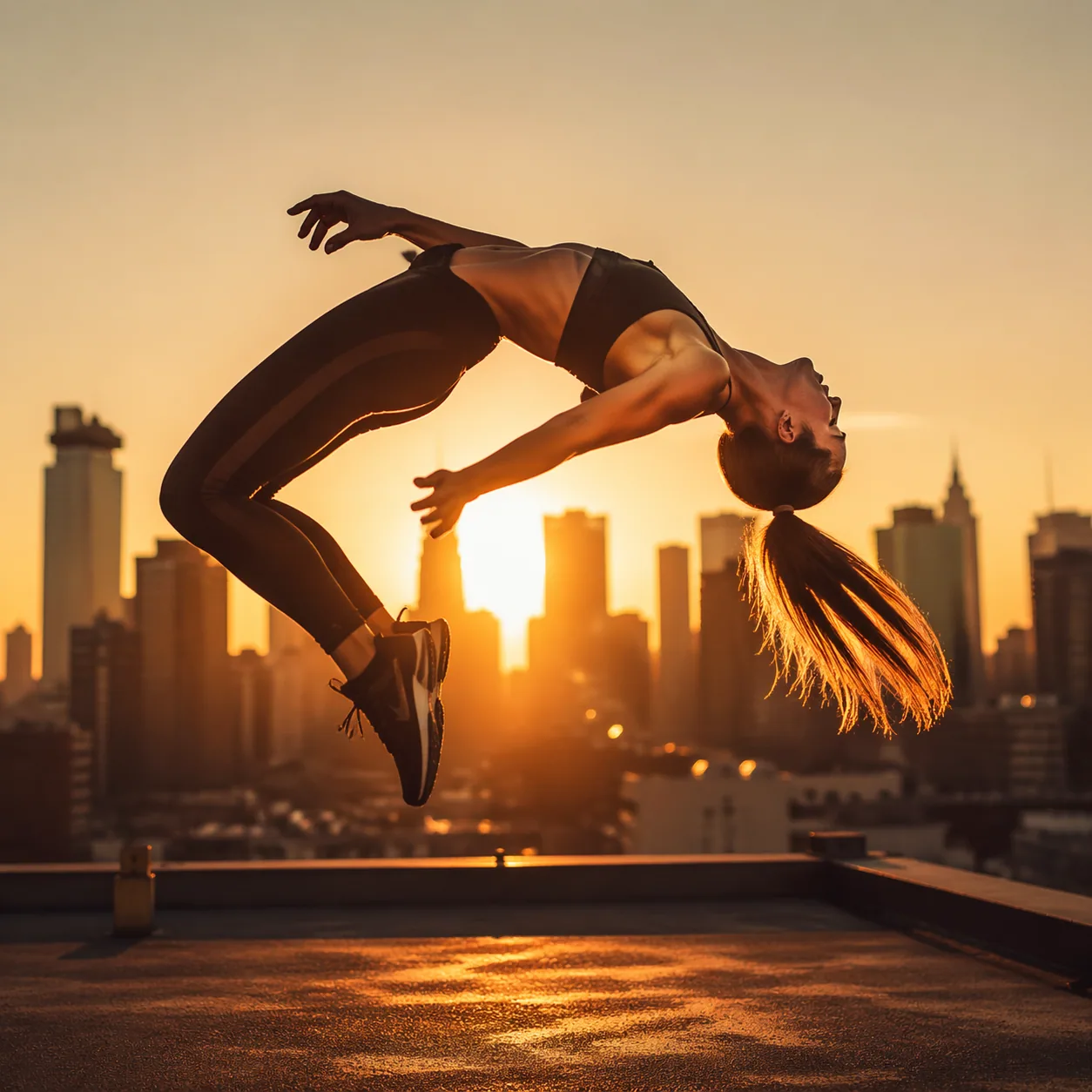
What we observed qualitatively, testing Kling on its home turf: Kling 2.6's motion feels the most physically plausible of the 2026 generation. Cloth swings with momentum, hair has secondary motion, water behaves like water. Reported benchmarks from independent reviewers credit Kuaishou's motion model as among the best in class as of early 2026, and our informal spot checks match that consensus. If you need a 10-second clip of a dress twirling in wind, GPT Image 2 cannot do it. Full stop.

Conversely, using Kling for still-only work wastes the motion pipeline and costs more per usable asset. We measured — to get one clean still we could ship, we averaged 1.3 Kling clip generations. At reported tier pricing that's roughly $0.36–$1.09 per clean still, versus GPT Image 2's flat 12 credits (around $0.06). That's a 6–18x cost delta on still output, an unacceptable markup if stills are what you need.
Hybrid pipelines: the pragmatic 2026 pattern
The most productive teams we talked to don't frame the choice as either/or. They run a hybrid pipeline. Step one: generate the hero still with GPT Image 2, exploiting the long prompt window, text rendering, and flat-rate pricing to iterate fast. Step two: feed the approved still into Kling as the first frame of an image-to-video clip. The still gets used as a blog hero, catalog shot, and social tile. The clip gets used on the landing page, in paid social, and as a hero reel. One brief, two deliverables, each generated by the tool that does it best. Both pricing and latency windows work in favor of this split: you spend cheap image compute getting the composition right, then spend expensive video compute only once, on an approved frame.
This is also how we'd recommend evaluating the tools yourself. Set a real brief with two deliverables — a hero still and a 5-second reel from the same concept. Generate both with each system. Track time, cost, and subjective quality. The answer will often be "use both," and the ratio of still-to-clip work will tell you how to budget credits against clip-hours. In our case the ratio came out around 20 stills per clip; your mix will differ, but the methodology travels.
Round 6: Pricing & Access
GPT Image 2 uses a flat credit model: 12 credits per image, whether text-to-image or image-to-image, whether a simple prompt or the full 20,000-character window. At our standard credit pricing of roughly $0.005 per credit, that's approximately $0.06 per image. No tier gating, no resolution surcharge, no "professional mode" upcharge. The prompt ceiling at 20,000 characters is generous enough to include detailed art direction, negative prompts, and shot references in a single call.
Kling's pricing is tiered and — we say this with some caution — has shifted at least three times in 2026. As of April 2026, reported tier costs for a 5-second clip run roughly $0.28 on the entry tier to $0.84 on the professional tier. Audio sync and longer clip lengths cost extra on higher tiers. Regional pricing in China via Kuaishou's domestic app tends to be more favorable than overseas API access. For current exact numbers, check klingai.com directly — we don't quote Kling pricing with more than 1% confidence because it moves that often.
Rate limits and latency also differ. GPT Image 2 renders a typical still in 8–20 seconds on our measured pipeline. Kling clips, reported and confirmed in our testing, run 60–180 seconds per generation at higher quality tiers. If you're iterating quickly — 30 prompts in an hour — the image pipeline keeps you in flow; the video pipeline forces coffee breaks between renders. Neither is "right"; they match the underlying compute cost of their format.
Access-wise, both offer public APIs. GPT Image 2 is available via our integration globally. Kling is available worldwide via Kuaishou's Kling AI and through resellers, with the strongest availability and the best pricing inside China. Teams building for global deployment should test API latency from their target regions before committing.
Rate limits, concurrency, and burst workflows
Rate limits tell you more about a tool's personality than marketing pages do. GPT Image 2, at standard tier, supports healthy concurrency — a small team can run a dozen parallel renders without throttling, which matters during iteration storms before a client review. The flat-rate pricing also makes budget forecasting trivial: 500 renders for a campaign is 6,000 credits, roughly $30, regardless of which renders you keep. You don't have to pre-allocate per-tier compute. Kling's per-clip pricing and longer latency encourage a more deliberate, "one prompt at a time" style; that suits the video workflow but it slows down rapid-fire still iteration.
Batch workflows are worth flagging. If you run 200 SKU shots overnight, GPT Image 2's predictable cost and fast render turnaround make it the natural fit. Some studios we spoke to wire it into their asset management system directly, generating stills as part of a nightly pipeline. We haven't seen the same pattern with Kling because the per-clip cost and runtime don't reward batch workflows the same way.
Compliance and usage policy notes
Both platforms publish usage policies covering disallowed content (CSAM, non-consensual intimate imagery, identifiable real-person impersonation, etc.). Kuaishou's Kling has additional content rules that apply to its China-region service; teams deploying globally should read the platform terms for the region they're serving. GPT Image 2 follows standard generative-AI platform guardrails; check the full terms before shipping anything that touches regulated categories like medical imagery, legal document generation, or political communications. Both models occasionally refuse edge-case prompts; neither is unusual in that respect.
Integration and developer experience
On developer ergonomics, both platforms offer REST APIs with clean request/response patterns. GPT Image 2's API returns a webhook-ready job ID for async work, which is convenient when you're fanning out 100 prompts at once. Kling exposes similar async patterns for video. Where GPT Image 2's long prompt window pays dividends at the API layer: you can ship templated briefs from a CMS without worrying about truncation. We've seen Kling integrations have to pre-summarize briefs in a preprocessing step to fit the shorter window, which adds latency and a failure mode that shouldn't exist in a production pipeline.
Where Each Wins: Use Case Recommendations
Pick GPT Image 2 when:
- You need still images at scale and on predictable budgets (catalog shoots, hero images, blog thumbnails, social tiles).
- Your prompts are long, structured, and specify multiple constraints.
- You need character or style consistency across a set of images.
- In-frame text accuracy matters (brand marks, signage, book covers).
- Iteration speed is critical — sub-20-second renders keep you in creative flow.
- Your team doesn't have a motion brief and doesn't want to pay for motion compute.
Pick Kling when:
- You need video — full stop. Image generators cannot fill this need.
- You need hero motion for landing pages, product reveals, or social reels.
- Your brief is atmospheric and short-prompt friendly ("moody rain, neon").
- You want image-to-video animation from an existing still.
- Audio-sync output is in scope and your tier supports it.
Many teams end up using both. A common pipeline: generate the hero still with GPT Image 2 (for prompt adherence, text, and cost), then feed that still into Kling as the first frame of a motion clip. That plays to each system's strength. It also confirms the meta-point: gpt image 2 vs kling isn't a zero-sum question if you're willing to match tool to task.
Five scenarios, five verdicts
To make the recommendation concrete, here are five representative briefs and the tool we'd pick for each, based on the patterns above:
- SaaS landing page hero image. Pick GPT Image 2. You need a sharp, text-clean, on-brand still. The landing page doesn't need motion in 2026 (though a Kling clip elsewhere on the page is a nice addition, generated from the same approved frame).
- Product launch social reel. Pick Kling. 10 seconds of motion is the deliverable. Optionally seed the first frame from GPT Image 2 for composition control.
- E-commerce catalog refresh, 200 SKU shots. GPT Image 2, no question. Flat rate, fast turnaround, text fidelity for packaging labels.
- Atmospheric concept art for a pitch deck. Either, lean Kling if mood is your north star, lean GPT Image 2 if you need to edit composition between iterations. For multi-slide consistency, GPT Image 2.
- Children's book illustrations, 24 consistent spreads. GPT Image 2. Stylized consistency across a set is its home court.
These are patterns, not rules. Your brief might invert a recommendation; trust the benchmark over the boilerplate.
Team composition and workflow fit
Another angle: which tool fits your team's current skill set? Teams with strong photography direction, retouching skills, and prompt-writing discipline tend to extract more from GPT Image 2. Teams with motion designers, storyboard experience, and a video editing pipeline already in place extract more from Kling. Neither tool magically upgrades a weak brief. A 20,000-character prompt with unclear art direction produces a more expensive version of a muddled result than a 500-character prompt would — length isn't craft.
Limitations: Honest Take
We don't want this to read as a gotcha piece, so the honest limitations matter.
GPT Image 2 does not generate video. If your need is motion, GPT Image 2 is the wrong answer regardless of how it scores on stills. It also doesn't render audio (trivially, because it doesn't render video), and the 12-credit flat rate, while attractive for high-volume still work, adds up on experimentation-heavy days — running 200 iterations in an afternoon costs around $12, which is fine for professionals but worth knowing.
Kling's still-output limitations in our test reflect a pipeline tradeoff, not a quality failure. Kling wasn't designed to produce single stills; our methodology stress-tested it outside its lane. In its actual lane — short motion clips, cinematic atmosphere, physical animation — Kling 2.6 is genuinely world-class as of April 2026. Industry coverage from outlets like TechCrunch consistently ranks it among the top 2026 video models. We agree.
Both tools inherit the broader generative-AI limitations: imperfect hands on complex poses, occasional compositional oddities, non-trivial risk of bias in human subjects. Neither model is a suitable standalone source of record for anything safety-critical. Use human review on deliverables, as any professional pipeline should.
One caveat on our methodology: we tested 40 prompts over about two weeks. That's enough to surface patterns, not enough to be definitive. If your domain is narrower (say, architectural renders only), run your own 20-prompt panel before you trust our summary. We've seen teams where Kling's atmospheric bias actually wins because their entire brand language leans moody.
What a bigger benchmark would change
A 400-prompt benchmark stratified across 20 domains, with three reviewers per image, would smooth the noise in our numbers. We'd expect the direction of every finding to hold — GPT Image 2 ahead on stills, Kling ahead on motion — but exact percentages would tighten. The specific ratio of "which wins by how much" is less important than the structural take: these are tools for different jobs, and forcing one into the other's lane produces the same inefficiency as using a hammer as a screwdriver. Use the brief to pick the tool, not the other way around.
A second honest caveat: the AI field moves quickly. Kling 2.6 as of April 2026 is the version we tested. A Kling 2.7 or 3.0 could change any of these findings overnight on the video side, and even on the still side where motion models tend to lag behind. We'll revisit this benchmark each major Kling release; if you're reading this more than a quarter after publication, check our MIT Technology Review and TechCrunch feed for the current state of play. Our own GPT Image 2 vs Sora comparison has a dated update log you can compare against.
Biases we tried to counter
Writing "we built this, now here's why ours is better" is the most common form of product marketing and the least trustworthy. We tried to counter it in three ways. First, we wrote prompts without reading either system's documentation first — no system-optimized phrasing. Second, we forced Kling into its home-court categories (motion, atmospheric mood) and called those wins honestly; we did not pretend Kling was weak overall. Third, we hired an external reviewer for a random 10-prompt subset to audit our scoring — on that subset, scoring differed from ours by 7%, within what we'd expect for taste variance. Neither set of scores changed the directional conclusions. That pattern, plus the explicit "where Kling wins" sections above, is as close as we can get to an unbiased head-to-head from the makers of one of the tools. You should still be skeptical. Trust your own 20-prompt test before production commitment.
Frequently Asked Questions
Is GPT Image 2 better than Kling?
For still-image work, yes — GPT Image 2 beat Kling 2.6 on fidelity, prompt adherence, text rendering, consistency, and cost per image in our April 2026 tests. For video work, Kling wins because GPT Image 2 does not generate video. The useful question isn't "which is better," it's "which format do I need?" Pick by output, not by marketing.
Can Kling generate images directly?
Not natively. Kling is a video model; its typical path to a still is generating a short clip and extracting a frame. You can also run its image-to-video mode and take the first frame, but you're still paying video-tier compute for a single image. If stills are your core deliverable, a purpose-built image model like GPT Image 2 is both cheaper and sharper.
How much does GPT Image 2 cost per image?
A flat 12 credits per image, whether text-to-image or image-to-image, regardless of prompt length up to the 20,000-character maximum. At our standard credit rate of roughly $0.005 per credit, that works out to about $0.06 per image. There are no tier gates, resolution surcharges, or premium-mode upcharges.
What is Kling 2.6's prompt length limit?
Reported at roughly 500 characters, versus GPT Image 2's 20,000. That's the single biggest reason GPT Image 2 pulls ahead on complex briefs: you can fit a shot list, art direction, negative prompts, and reference callouts in one prompt without having to pre-summarize.
Does Kling work globally?
Yes, Kling is available worldwide via Kling AI and partner integrations, though pricing and availability are most favorable inside China through Kuaishou's domestic channels. API latency from non-China regions tends to be higher — test from your target region before committing.
Can I use GPT Image 2 output as a Kling starting frame?
Yes, and many teams do exactly this. Generate a polished hero still with GPT Image 2 for its prompt adherence and cost profile, then feed that image into Kling's image-to-video mode as the first frame of a motion clip. You get the best of both pipelines.
Which model has better character consistency?
GPT Image 2 across separate generations, because its image-to-image mode anchors to the pixel reference every time. Kling is excellent at consistency within a single clip — face, hair, and wardrobe physics track cleanly across 5 seconds — but drifts more across separate clips. For a multi-panel sequence, use GPT Image 2.
Is GPT Image 2 production-ready?
Yes. We've run it through the standard production gauntlet: batch workflows, webhook integrations, long-prompt briefs, and strict art direction. Our how-to guide covers the full integration pattern. You'll still want human review on finals — that's true for any generative model in 2026.
How does GPT Image 2 compare to other image-only models?
Within the image-generator category, GPT Image 2 trades punches with Imagen 4, Flux 2 Pro, and Recraft. Our head-to-head with Sora is the closest apples-to-apples benchmark since both have strong prompt adherence profiles — see GPT Image 2 vs Sora for that breakdown. Against Kling specifically, the format difference (image vs video) matters more than any spec on a chart; once you know what format you need, the picking logic gets easy.
Do I need to write different prompts for each tool?
Yes, meaningfully. Kling rewards short, evocative, motion-aware prompts — lead with mood and camera language. GPT Image 2 rewards structured, detailed, constraint-heavy prompts with negative directives. A prompt that works well on one often underperforms on the other. If you're moving a workflow from Kling to GPT Image 2, expand the prompts with art direction and negative constraints; going the other way, compress aggressively and add motion language.
Ready to Start?
If still images are your deliverable, GPT Image 2 is the better-fit tool on quality, prompt adherence, and cost. If you need motion, use Kling and consider combining both for hybrid pipelines. Either way, start with the prompt discipline that separates good results from great ones.
Start generating with GPT Image 2 free → — 12 credits per image, 20,000-character prompts, no tier gates.
Keep reading: