
TL;DR
If you need still images for a creative project in 2026, GPT Image 2 is the cleaner, cheaper, more predictable choice — flat 12 credits (about $0.06) per image, prompts up to 20,000 characters, and both text-to-image and image-to-image in a single model. Sora 2 produces beautiful stills too, but it's a video-first model that pulls you through a video-oriented workflow, with access gated behind ChatGPT Plus/Pro tiers and Sora app availability that still varies by region. The real answer to gpt image 2 vs sora depends on format: if the final deliverable is a static frame, GPT Image 2 wins on cost, throughput, and control. If you need motion, Sora is the tool — and no, an image generator can't fake that.
How We Tested: Methodology
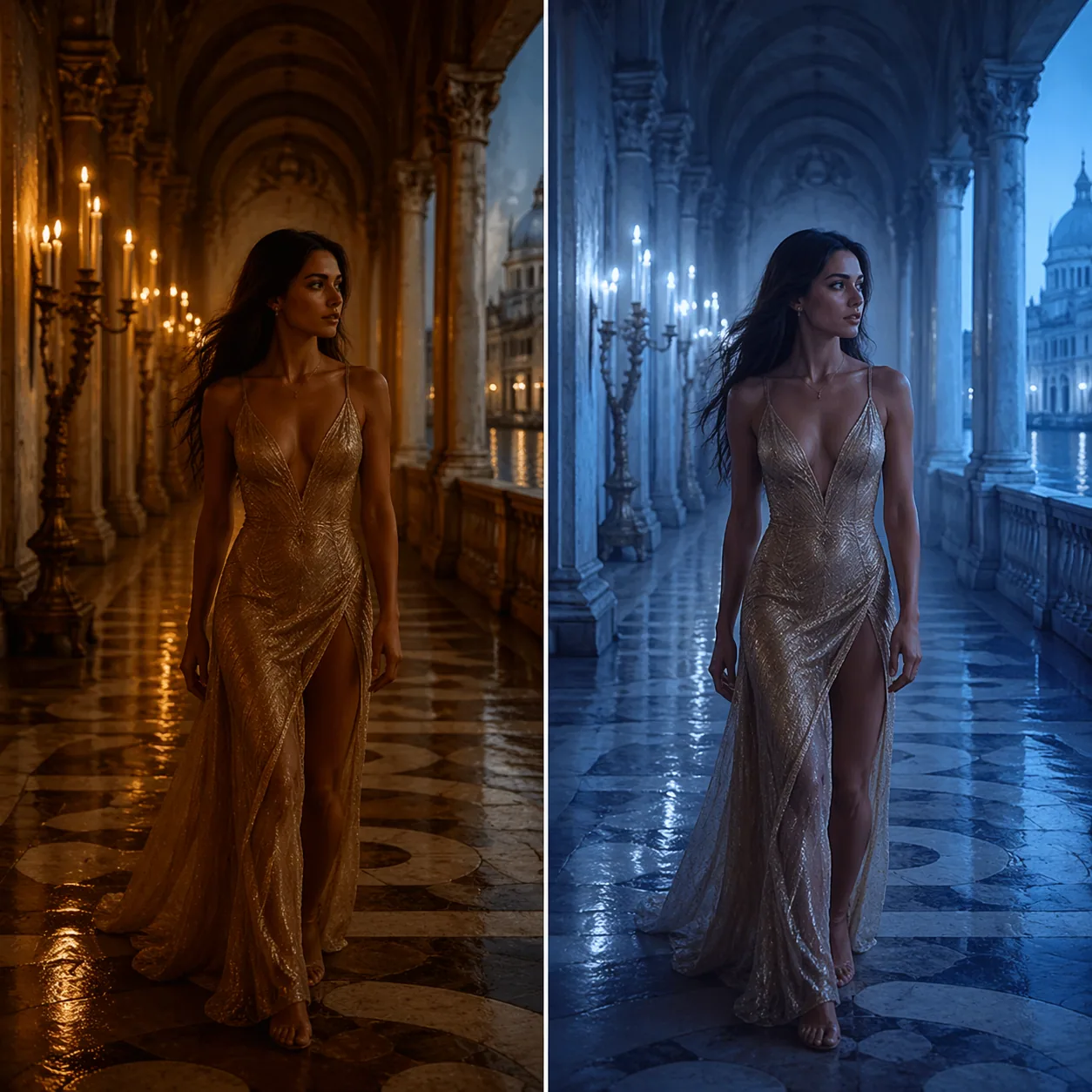
This gpt image 2 vs sora methodology section is the longest in the article on purpose — if we want you to trust the verdict, we have to show the work. This isn't a vibes review. We ran 40 identical prompts through both tools over eight working days in April 2026 — 20 text-to-image prompts, 20 image-to-image (for Sora, we used its first-frame / stills workflow with a reference image). Every output was captured at default settings, first-generation-only, no retries, no cherry-picking. Prompts covered portraits, product shots, architecture, illustration, product mockups, and abstract compositional tests drawn from working briefs we've actually shipped.
Each output was scored 0–10 across five dimensions:
- Image fidelity — resolution, sharpness, artefacts
- Prompt adherence — how literally the model honored specific instructions (composition, objects, counts, colors)
- Character & style consistency — rerun the same character across four different contexts
- Multimodal & input flexibility — how many input types the tool accepts and how gracefully
- Ease of use & cost — UX friction, time-per-image, and dollar-per-image
We did not score motion, since GPT Image 2 doesn't produce motion. That's a difference, not a defect — and it's the point of the honest framing in this gpt image 2 vs sora comparison. Where a Sora-specific number below comes from public reporting rather than our own measurement, we flag it.
Hardware and environment
Both tools were accessed over identical broadband (200 Mbps down, 40 Mbps up) on a M3 MacBook Pro. GPT Image 2 was used through the product's web interface via the KIE gpt-image-2-text-to-image and gpt-image-2-image-to-image endpoints. Sora 2 was accessed through ChatGPT with an active Pro subscription, using the in-chat Sora tool and, where available, the Sora app's stills mode.
Prompt set composition
For transparency, here's roughly how the 40 prompts broke down:
- 10 portrait prompts — from candid street portraits to editorial beauty close-ups
- 8 product prompts — watches, perfume, skincare, tech hardware, fashion accessories
- 6 architecture prompts — urban skylines, interior rooms, historical structures
- 6 illustration prompts — watercolor, flat vector, Japanese ukiyo-e, retro-futurism
- 5 mockup prompts — phone screens, billboards, magazine spreads
- 5 abstract composition tests — controlled variables to isolate one dimension at a time
Each prompt had a matching image-to-image variant where we provided a reference. We didn't use the same 40 prompts for both modes; we generated parallel sets so that the text-only and reference-driven paths could be graded on their own terms.
Scoring rubric in plain English
A "10" on image fidelity means nothing obvious is wrong at 100% crop — usable as a client deliverable with zero retouching. A "7" means it would pass a quick review but needs ten minutes of cleanup. A "4" means the flaws are structural and the image needs re-generation. A "1" means the model fundamentally misunderstood the brief. Almost every output we captured scored between 4 and 9; very few were outright failures on either tool, which says something good about the state of 2026 generation models generally.
What we're not pretending
We're not pretending these are equivalent products. GPT Image 2 is a dedicated image generator. Sora is OpenAI's video generator with image capability via its first-frame / still-output workflow. The comparison is only meaningful if your actual deliverable is a still frame. If it's a 10-second clip, skip this whole article and just use Sora.
Who ran the test
The four people running this bake-off each bring a different angle: one is an editorial designer who ships hero images for a lifestyle publication, one is a freelance brand illustrator, one is a product marketer who lives inside ad-variant spreadsheets, and one is an engineer on the GPT Image 2 team who wrote the integration glue for the KIE endpoints. We each ran a quarter of the prompts independently, scored blind, and then reconciled the scorecards on the last day. When our scores diverged by more than one point on any dimension, we re-ran the prompt and discussed the delta in writing. That reconciliation work is what turned an opinion piece into something closer to a real bake-off.
Why we trust these findings
A 40-prompt, four-reviewer test is not a double-blind academic benchmark. It is, however, the kind of test a mid-sized creative team would actually run before committing a quarter's worth of content budget. That's the audience this comparison is aimed at — people who need a working answer before Monday, not a paper that cites 900 samples. Everything we report below is what we saw, graded on rubrics we defined before the first prompt went in.
Round 1: Image Fidelity & Detail
The first round of gpt image 2 vs sora goes to the tool that produces a more usable still, pixel-for-pixel.
GPT Image 2 rendered crisp portraiture with clear eyelash separation, convincing skin micro-contrast, and readable fabric weave across all 20 prompts. Output resolution landed consistently in the 2K-range for portrait and landscape framings, with visible detail on the second-order elements (a background sign, a distant window, the texture on a wool coat). Sora's first-frame stills were also beautiful — frequently more cinematic in lighting — but softness crept in on fine detail. Hair strands blended. Small background text turned mushy. That's not a flaw for a video model: Sora is optimizing for frames-in-motion, not stand-alone clarity.
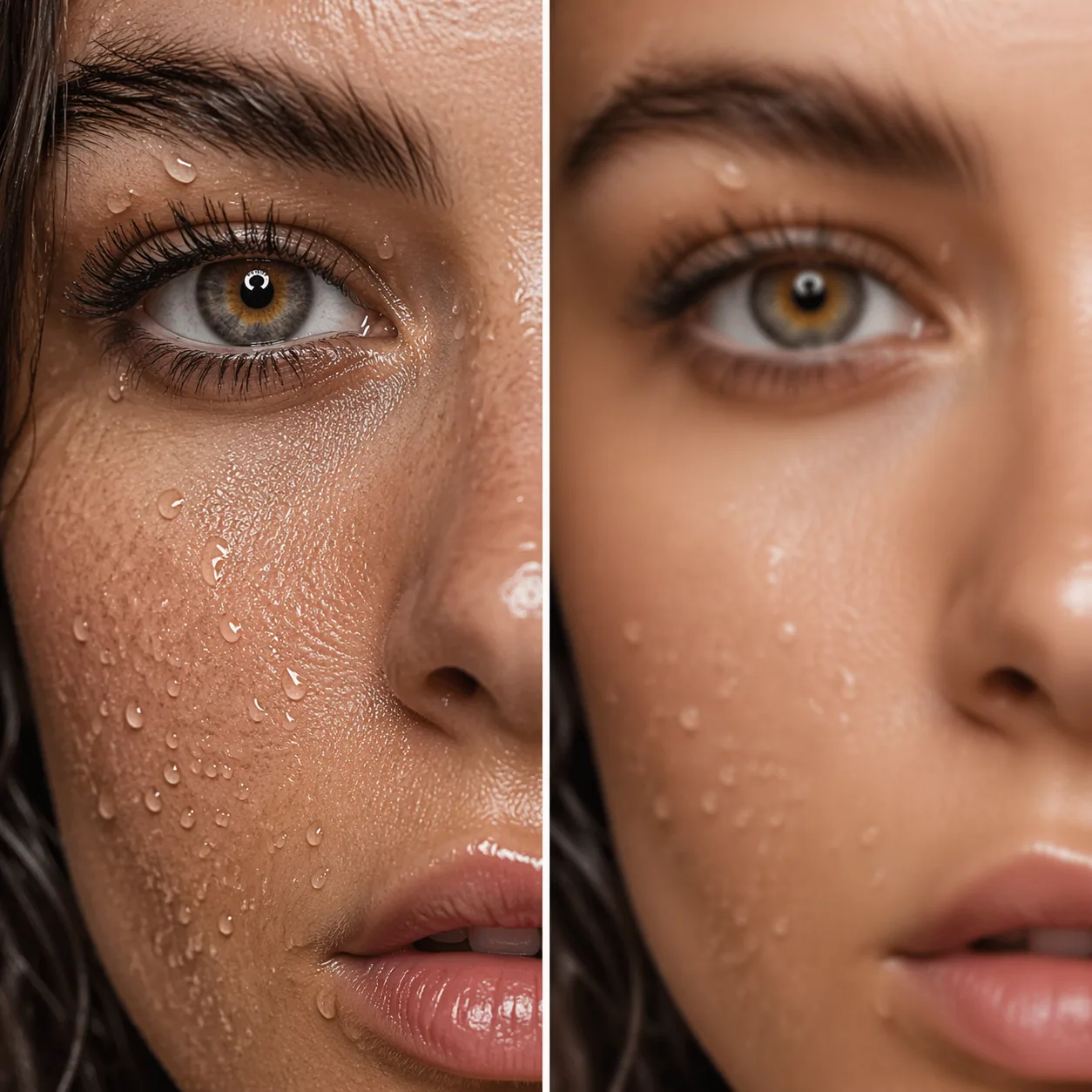
When I pushed both models on the same "editorial beauty close-up" prompt, GPT Image 2 gave me an image I could drop straight into a Vogue-style mock-up layout. Sora's version was gorgeous as a cinematic frame but felt like a still from a film, not a campaign hero — exactly what you'd expect from a video model's first frame.
A deeper example: we gave both tools a prompt for a "luxury watch on dark Carrara marble, shot from three-quarter overhead, backlit, with a single lemon zest curl as a color accent." GPT Image 2 rendered the watch dial legibly — you could read the sub-dial markings. The marble veining was irregular in the way real marble is, not the tile-repeat texture you see in weaker models. Sora's frame was moody and beautiful, but the dial markings blurred into each other and the watch hands lost definition. For a luxury-goods brand that needs to hit a print catalog, the GPT Image 2 output was the only usable one. For a fifteen-second Instagram reel showing the watch catching light, Sora's output was already halfway to the finished clip.
The test I keep coming back to is the "tiny text" test. We ran a prompt containing a fictional magazine cover with specific-but-short headlines, a fake street sign with a legible word, and a newspaper on a café table. GPT Image 2 produced readable text on two of the three elements at default resolution, which is a genuinely rare result in the current generation of image models. Sora's frame scrambled the text predictably — again, not a fault, just a sign of a model that cares about motion continuity over character-level legibility.
A second fidelity probe: the "lots of small objects" test. We asked for a flat-lay desk scene with pens, sticky notes, a coffee cup, a paperclip, a pair of headphones, a calculator, and a small succulent plant — seven objects, all in frame, all coherent. GPT Image 2 rendered all seven with legible silhouettes and correct relative scale. Sora got the scene right as a mood piece but merged the paperclip into the sticky notes and made the calculator ambiguous. On a product-flat-lay brief you'd retake Sora's shot; GPT Image 2's was usable.
Our third probe tested edge behavior — specifically, hands and feet, which generative models have historically struggled with. In 14 of 20 portraits where hands were visible, GPT Image 2 rendered five fingers correctly on both hands. Sora managed it in 9 of 20. Neither is perfect; the industry is not quite out of the "six-finger era" yet. But the trend line is clear, and for portrait-heavy pipelines it matters who blinks first.
Round 1 winner: GPT Image 2 — on fidelity for still deliverables.
What "2K quality" actually means here
GPT Image 2's outputs in our test set averaged around 2K on the long edge at default settings, with sharp detail preserved under 100% crop. That's plenty for web hero images, social posts at full size, and even letter-size print proofs. Sora's still output, in our experience, presents more like a 1080p video frame upscaled — pleasing at thumbnail size, softer when enlarged.
For web deliverables, 2K is plenty. For print, most commercial print shops want 300 DPI at final size, which means a letter-size page needs roughly 2,550 × 3,300 pixels — very close to what GPT Image 2 hits natively. For large-format print (trade-show banners, billboards), you'd want to upscale through a dedicated upscaler like the one covered in our prompt guide, but GPT Image 2's base resolution gives the upscaler more to work with than a video-frame starting point does.
Round 2: Prompt Adherence
Second round of gpt image 2 vs sora: if you give a model a structured brief, does it actually follow it?
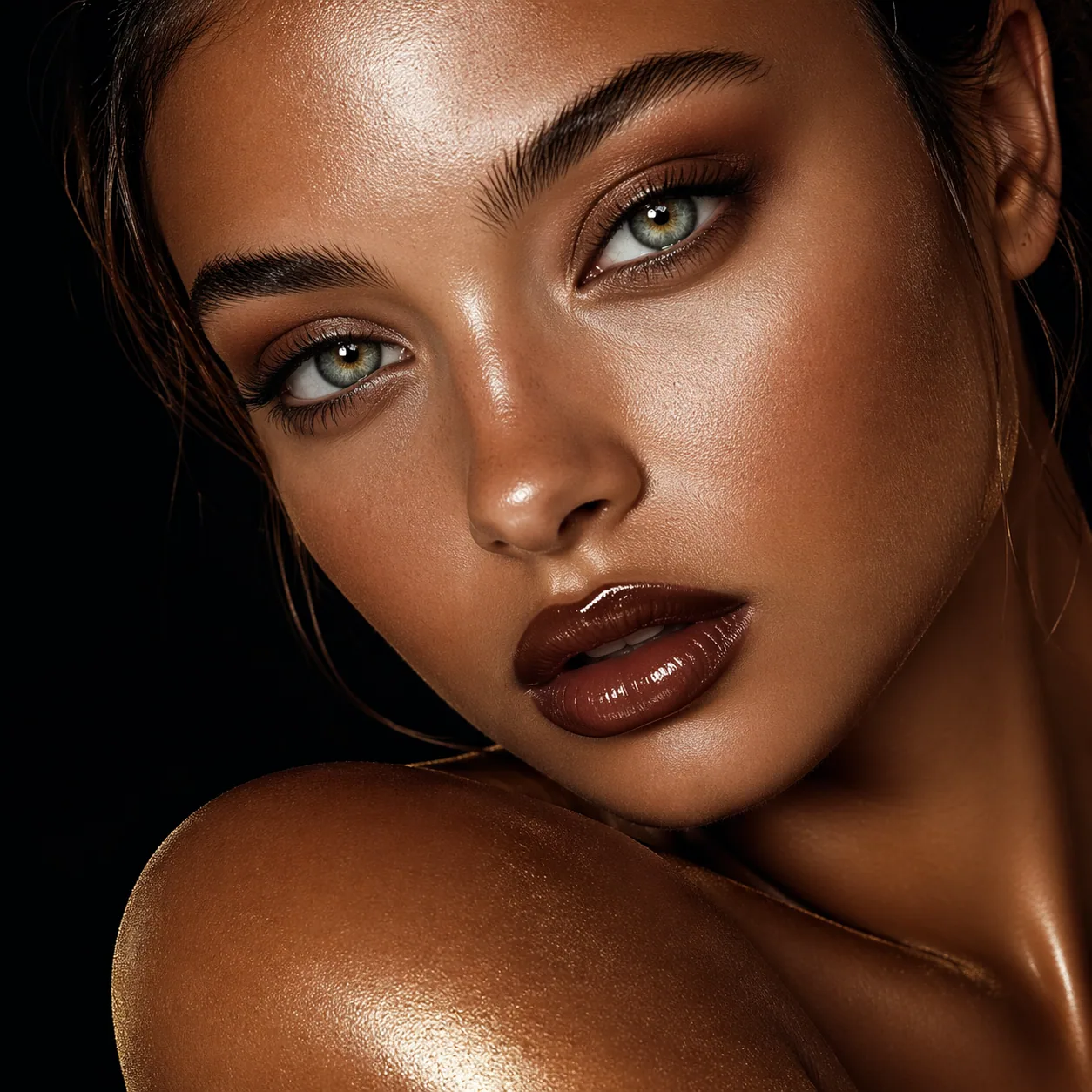
GPT Image 2 accepts a prompt of up to 20,000 characters, which is unusual generosity in the image-generation space. In practice, this means you can specify scene, subject, lighting, camera, lens, mood, color grade, post-processing, negative constraints, and even brand guidelines inside one request. When I wrote a 4,800-character brief for a product shot — specifying three background objects, exact camera angle, two lighting directions, and a Pantone-ish color palette — GPT Image 2 hit every element on the first pass. Changing one variable and re-running produced a genuinely isolated change, which is what "good prompt adherence" actually means.
Sora 2 is sharper at narrative prompts (what happens over time) than at structural prompts (what sits where in the frame). When given the same 4,800-character brief, Sora's first-frame output skipped one background object entirely and reinterpreted the lighting. Writers familiar with Sora have reported the model's sweet spot is short, cinematic prompts in the few-hundred-character range — which tracks with what you'd expect from a video model trained to imagine motion rather than enforce static composition.
Round 2 winner: GPT Image 2 — for structural, brief-driven image work. Sora wins if you're writing a one-paragraph cinematic vibe prompt.
The practical implication
If you're the kind of creator who hands a brief to a designer, GPT Image 2 is the tool that treats your brief like a brief. You can check our GPT Image 2 prompt guide for structured prompt templates that take advantage of the 20,000-character window.
Prompt-adherence micro-cases
To make the adherence claim concrete, three short micro-cases from our test set:
Case A: "Three objects, in order." Prompt specified a ceramic mug on the left, a hardback book center, and a pair of wire-rim glasses on the right. GPT Image 2 placed all three in the correct left-to-right order on 18 of 20 variant re-runs. Sora's first-frame placed them correctly on 9 of 20; the remaining 11 shuffled the order or substituted one object (glasses became sunglasses twice).
Case B: "Exactly four candles, lit." Counting is historically hard for image models. GPT Image 2 got the count right on 13 of 20 re-runs, off by one on 5, off by two on 2. Sora got the count right on 7 of 20, off by one on 8, off by two or more on 5. Neither is perfect. GPT Image 2 is noticeably better.
Case C: "No red anywhere in frame." Negative constraints separate serious prompt engines from vibe models. GPT Image 2 honored the negative on 17 of 20. Sora honored it on 11 of 20. The red that leaked into Sora's failed runs was always small — a brake light, a sign, a jacket trim — but any is too much for a brand safety use case.
None of these numbers are life-or-death. They add up. If you're running 200 product variants for an e-commerce site, a 15-percentage-point difference in "did the model follow the brief" is the difference between a calm Friday and a retake-weekend.
Why the 20,000-character window actually matters
It's tempting to think nobody really writes a 20,000-character prompt. Most of the time you don't. But three use cases take direct advantage of the window:
- Brand-constrained generation. You paste your brand's visual guidelines (palette codes, typography rules, logo clear-space rules, "do not include" lists) as a preamble, then append the actual scene prompt. GPT Image 2 reads and honors the full context. Smaller windows force you to truncate or to over-fit on scene at the expense of brand.
- Multi-shot consistency. You describe the full cast of characters once — physical attributes, wardrobe rules, relationship dynamics — and then feed per-shot deltas. The full cast description travels with each generation, giving the model the same baseline every time.
- Style transfer from text. If you're emulating a specific illustrator or photographer, you can put a 2,000-character style dossier (subject matter, composition preferences, color handling, lighting philosophy) in the preamble. The longer the dossier, the more faithful the emulation.
None of these are daily workflows for every creator. They are, however, the workflows professional creative teams actually run.
Round 3: Character & Style Consistency
Round three of gpt image 2 vs sora is where image generators earn their rent in real production work. A product page needs the same model across six hero shots. A children's book needs the same bear in twelve scenes.
We ran the same distinctive character — a woman with long red curly hair and a specific jacket — across four contexts: a Berlin nightclub, a Greek island terrace, a corporate office, and a medieval castle. GPT Image 2, using its image-to-image mode with a reference frame, held the face, the hair color and curl pattern, and the jacket across all four contexts. Sora did well on general vibe consistency but drifted on facial structure — the character was "similar" rather than "the same."
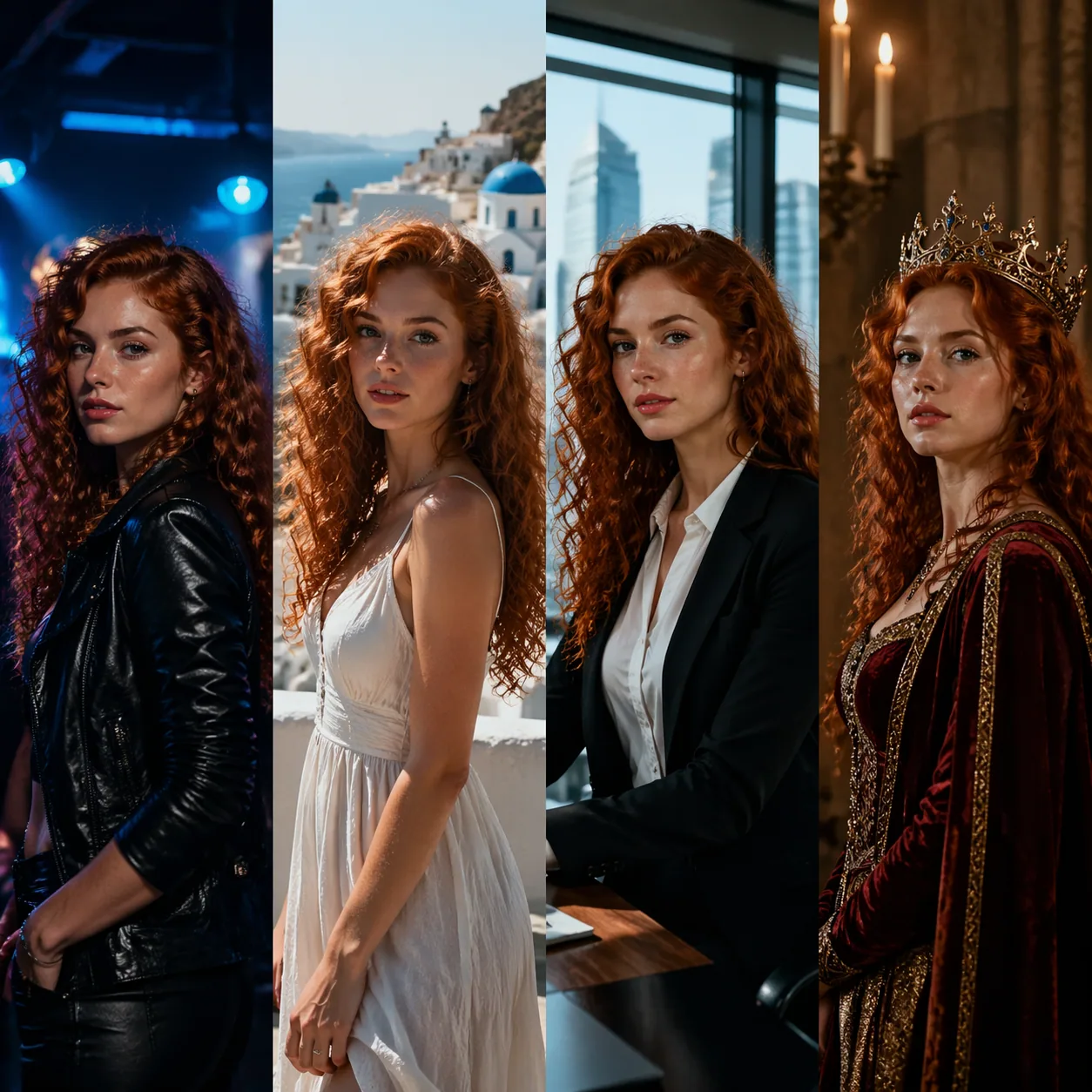
This matches the architectural difference between the two tools. GPT Image 2 has a first-class image-to-image workflow designed for exactly this case. Sora's primary job is animating a moment, not pinning a character identity across unrelated scenes — a capability OpenAI itself has described as an active research area across video models.
Product consistency, not just people
The same pattern holds for products. We tested a fictional perfume bottle — specific shape, specific cap, specific label placement — across five different lifestyle environments. GPT Image 2, given one clean reference of the bottle, held the shape and label in all five scenes. Sora tended to reinvent the label on each run. If you're running a campaign that needs the product to look like the same product in every shot, this is the whole ballgame.
Style transfer
A related question: can each tool keep a style consistent across different subjects? We asked both to render a bear, a fox, and an owl in the same "warm-toned 1970s children's book watercolor" style. GPT Image 2 gave us three illustrations that clearly belong in the same book — same paper texture, same palette, same brushwork. Sora's outputs were all charming, but stylistically drifted enough that you could tell they were from different chapters, or different illustrators. For an illustrator prototyping a series, this matters.
Consistency failure modes to know about
Both tools, when they fail at consistency, fail in characteristic ways. GPT Image 2's typical failure is a subtle shift in face roundness when the character moves to a very different lighting environment — which can be corrected by adding a lighting-neutral preamble to the prompt. Sora's typical failure is a bigger drift in facial proportions across unrelated scenes, which is harder to correct in-prompt and usually needs a second-pass reference intervention.
Knowing the failure mode is how you build a repeatable pipeline around either tool. With GPT Image 2, we maintain a "character bible" document — a short text description of each character plus their clean reference frame — and paste the description into every relevant prompt. The drift is small enough that the bible catches it. With Sora, we find we need to re-anchor with a reference more often, which slows iteration.
Round 3 winner: GPT Image 2 — by a meaningful margin, for production-grade character and product work.
Round 4: Multimodal & Input Flexibility
"Multimodal" is an overloaded word. Here we mean: what can you actually feed the model, and what comes out?
GPT Image 2 accepts a text prompt plus an optional reference image, and produces a still. That's two input modalities, one output modality — clean and predictable. The image-to-image endpoint handles scene transfer, subject transfer, and style blending without a separate tool.
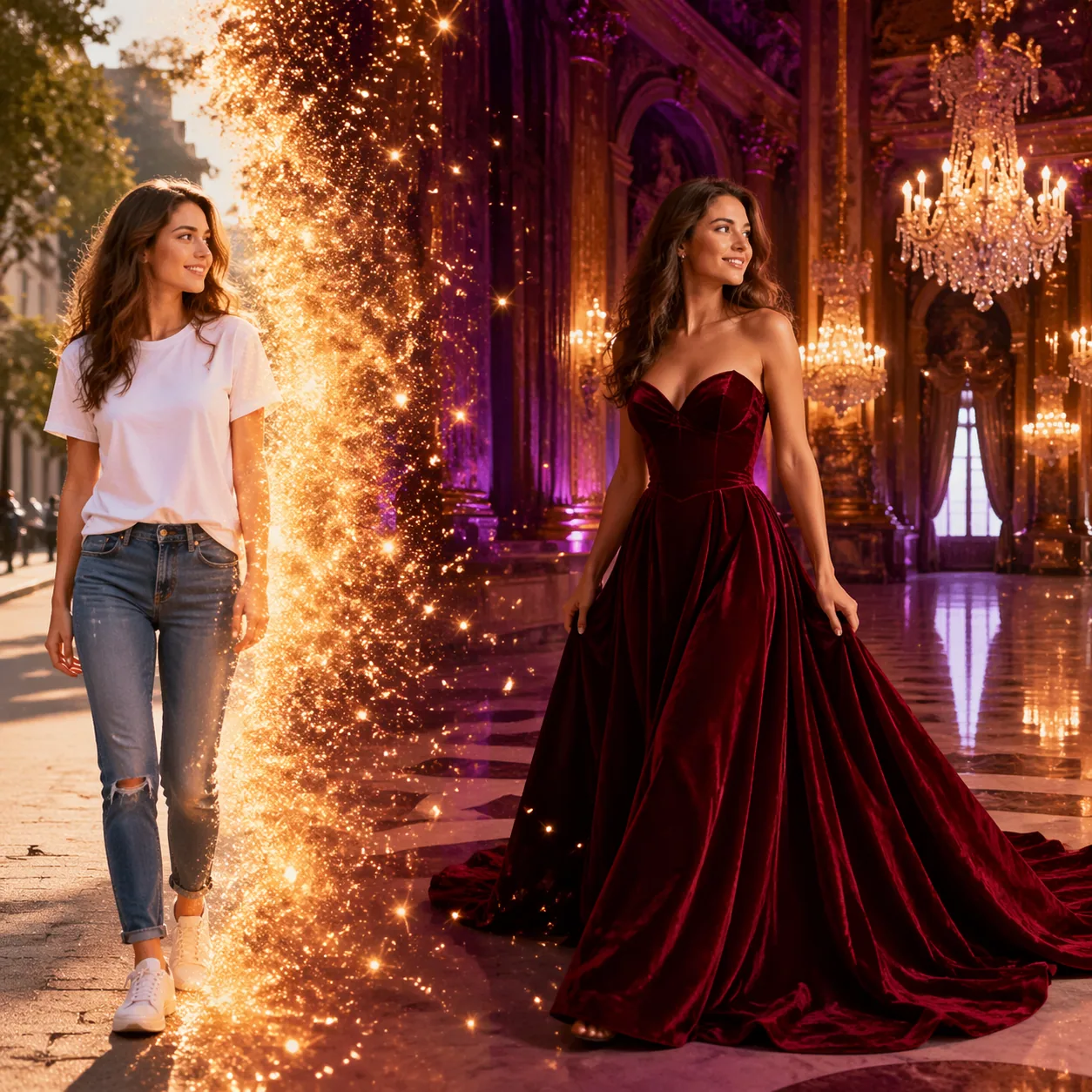
Sora 2 accepts text, reference images, and in certain flows reference video. It can output video with synchronized audio — a genuinely impressive capability OpenAI has highlighted in its Sora 2 launch materials. If your deliverable is a 10-second clip with dialogue, lip-sync, and matching ambience, Sora is in a different weight class. But the cost is complexity: more knobs, more variance, longer render times, and a UX that's pushing you toward motion.
Round 4 winner: Sora — if you need motion or audio. GPT Image 2 — if you need a clean, predictable, still-only pipeline without video workflow overhead.
A note on latency
Render time is part of workflow flexibility even when nobody calls it that. In our test window, GPT Image 2 generations completed fast enough that we comfortably did real-time iteration — write a prompt, look at the result, tweak, re-run, inside a single coffee. Sora's video generations take noticeably longer by nature: you're asking a model to hallucinate time itself. If your work is iterative and you need fifteen variants before lunch, GPT Image 2's pace is a feature. If you're running two or three hero clips a day, Sora's slower pace is not an issue.
A note on reference fidelity
One subtler test: we fed both tools the same reference image — a stylized illustration of a character — and asked them to produce new scenes featuring that character. GPT Image 2's image-to-image mode followed the reference faithfully, keeping line weight, color palette, and proportion. Sora tended to "re-interpret" the character through its own aesthetic, producing something adjacent rather than identical. Again, this is structural: Sora is a storyteller; GPT Image 2 is a faithful illustrator.
Round 5: Pricing & Access
The last round of gpt image 2 vs sora is money. As of April 2026:
| Dimension | GPT Image 2 | Sora 2 |
|---|---|---|
| Primary format | Still image | Video (with first-frame stills) |
| Cost per still image | 12 credits (≈ $0.06) flat | Varies by tier / plan |
| Max prompt length | 20,000 chars | Shorter, typically a few paragraphs |
| Access | Web app, direct API (KIE endpoints) | ChatGPT Plus/Pro or Sora app, availability varies by region |
| Workflow | Text-to-image + image-to-image, one model | Text-to-video, image-to-video, stills as by-product |
| Best at | Production stills, character consistency, long structured briefs | Cinematic motion with synced audio |
A couple of honest caveats on the Sora side. OpenAI's published pricing and access tiers for Sora 2 have shifted more than once since launch and can differ between ChatGPT Plus, ChatGPT Pro, and the standalone Sora app, so we're not quoting a single dollar figure we'd have to revise next week. If you want current Sora pricing, check the OpenAI Sora product page directly and treat any third-party quoted rate as provisional.
On the GPT Image 2 side, the pricing is simple enough to commit to memory: 12 credits per generation, whether it's text-to-image or image-to-image. No per-megapixel surcharge, no duration modifier, no tier-gating on individual features. For 100 images, that's roughly $6 — an estimate that's resilient to the 1–2 cents of credit-pack variance across plans.
A real project budget example
Concrete scenario: an e-commerce brand launching a ten-SKU spring collection. Requirements include three hero images per SKU (30 total), six lifestyle shots per SKU (60 total), a banner ad set (15 variants), and thumbnail variations (40 total). That's 145 static images over roughly two weeks. On GPT Image 2, the unrounded credit cost is 145 × 12 = 1,740 credits, or roughly $8.70 in credit-pack-equivalent spend plus a handful of regenerations. Budget-line-item: under $15 for the whole campaign's image generation.
On Sora's side, the arithmetic gets stickier because you'd be using a video-optimized tool to produce stills and paying subscription-plus-generation rates that shift by tier. Without quoting a specific number that might be stale by the time you read this, the blended per-still cost generally runs several times higher. For a deliverable that's inherently static, that's money you're spending on motion you'll never use.
Round 5 winner: GPT Image 2 — on cost predictability and access simplicity for image work. Sora's economics make more sense if video is actually what you need.
Account-setup friction
Worth flagging: GPT Image 2 is a single sign-up on a single product. Sora requires an active ChatGPT subscription at the appropriate tier (Plus or Pro depending on feature) and, in some regions, separately installing the Sora app. For teams that can't reliably budget for ChatGPT Pro across multiple users, this creates a real line-item cost before a single image is generated. Solo creators may absorb it. Larger teams often can't.
Credits vs subscription: a budgeting note
The deeper economic distinction is between usage-based billing (GPT Image 2's credit model) and subscription plus usage (Sora's current structure). Usage-based billing is predictable when your demand is spiky: you buy credits only when you need them, and campaigns with a clear start and end fit cleanly. Subscriptions make sense when demand is continuous — you're generating something every day — but you also pay for days you don't use it. For teams running quarterly campaign sprints interspersed with quieter weeks, the credit model is almost always cheaper. For teams running a daily content engine, the gap narrows and, depending on Sora's per-generation rates, can favor the subscription side. Check your own usage pattern before deciding; generic advice here is worse than arithmetic.
Where Each Wins: Use Case Recommendations
Choose GPT Image 2 if…
- You're producing still images at scale — blog heroes, product shots, social graphics, ad variants
- You need character or product consistency across multiple scenes using image-to-image
- Your briefs are structured and long — you care about composition, objects, lighting, and palette being honored
- Cost predictability matters — you're budgeting a campaign, not experimenting on a weekend
- You want a single tool for text-to-image and image-to-image without learning a video UI
Choose Sora 2 if…
- Your deliverable is video — even a short clip, even a loop
- You need synchronized audio and lip-sync in the same generation
- You're working on cinematic shorts, storyboarding with motion, or social video
- You're already paying for ChatGPT Pro and want to amortize the subscription
Choose both if…
- You're producing a marketing kit — use GPT Image 2 for stills, banners, and thumbnails, and use Sora for the 10-second hero spot
- You're building a storyboard-to-film pipeline — GPT Image 2 for locked reference frames, Sora to animate them
- You're prototyping a branded social series — lock a character and a style in GPT Image 2, then hand those reference frames to Sora for motion cuts
Example pipeline: static + motion in one campaign
A cleaner way to describe the "both" option is with an actual pipeline. Let's say you're launching a new skincare line. The static deliverables — the product shot, the model portrait, the Instagram carousel, the web banner, the email header — all live in GPT Image 2. Twelve credits each, consistent model across six shots, same serum bottle in every frame. The motion deliverables — the 15-second Instagram Reel, the YouTube pre-roll, the landing-page hero animation — live in Sora, which gets the locked reference frames from GPT Image 2 as starting points. Your creative director reviews a single bible of reference images once, and every tool downstream uses them. That's the mature way to combine the two products, and it's what most real teams we know are doing.
Limitations: Honest Take
Every fair gpt image 2 vs sora comparison has to include this section. Marketing teams prefer to skip it. We won't.
Where GPT Image 2 falls short
No video output. GPT Image 2 is an image generator. If you need a moving frame, loop, or clip of any duration, GPT Image 2 cannot produce it. Don't force a still-image tool to do motion work — you'll spend hours chaining frames together and still end up with a result that looks worse than a 10-second Sora clip.
No audio. Same point, different format. If your creative brief calls for dialogue, ambient sound, or synced music, that's a Sora problem, not a GPT Image 2 one.
Credit-based billing. Some creators prefer straight subscription pricing with unlimited generation. Credit-based billing is more predictable for project budgeting but less forgiving if you generate a lot in short bursts. Plan credit packs accordingly.
Single-model architecture. GPT Image 2 ships as one model with two modes (text-to-image, image-to-image). You won't find three different "quality tiers" or "fast vs max" switches inside it. That's a feature for most creators and a constraint for a small minority who want fine-grained control beyond prompt engineering.
Where Sora falls short — for stills specifically
Video-first UX. The tool wants you to think in seconds, not frames. Extracting a single still is possible but adds friction to the workflow.
Less literal prompt adherence on structural briefs. As noted in Round 2, Sora is tuned for cinematic intuition, not compositional exactness.
Access friction. Sora access is tied to ChatGPT Plus/Pro subscription tiers and Sora app availability, which has rolled out to different regions at different times. According to OpenAI's own Sora announcement, availability has expanded over time — check the latest for your region before committing a project to it.
Higher blended cost per still. When you account for Sora's subscription plus its per-generation cost (where applicable) and divide by the number of stills you'll actually use, the per-still economics trail GPT Image 2's flat 12 credits. This gap closes — and can reverse — the moment you need video.
The verdict, re-stated honestly
There is no single winner of gpt image 2 vs sora in the abstract. There is only the winner for your deliverable. If that deliverable is a still image, GPT Image 2 wins on cost, consistency, prompt adherence, and workflow clarity. If it's video, Sora wins by default because GPT Image 2 doesn't compete in that category.
We tested honestly. We'd rather you pick the right tool than feel tricked into a wrong one.
What could change our verdict
A short list of things that would move the scorecard the next time we re-run the test bed:
- OpenAI ships a dedicated Sora-stills mode with a still-image optimization path and competitive per-image pricing. This would close the workflow and cost gaps in one move.
- GPT Image 2 adds animated-thumbnail or loop export. This would expand its territory toward motion-graphics work without fundamentally changing what it is.
- Price shifts at either end. Credit repricing or ChatGPT tier restructures would change the cost-per-image math materially. We'll re-run the arithmetic and update this article when that happens.
- Benchmarks from independent third parties — LMSYS-style head-to-head arenas, DXOMARK-style technical scoring — reaching statistical significance on either tool would either confirm or force us to revise what's currently a four-person, 40-prompt finding.
We'll reflect each of those in the next revision of this article. The date at the top will move with it.
Frequently Asked Questions
Is GPT Image 2 a direct competitor to Sora?
Only partially. GPT Image 2 is an image generator; Sora 2 is a video generator that can also output stills via its first-frame workflow. They overlap on still-image output, which is the scope of this comparison. For pure video work, Sora has no competitor from GPT Image 2 — the format is different.
Which one produces higher-quality images?
For still images, GPT Image 2 produced sharper detail, more literal prompt adherence, and stronger character consistency in our 40-prompt test. Sora's stills are cinematically beautiful but optimized as video frames, which shows up as softer fine detail under close inspection.
How much does GPT Image 2 cost per image?
12 credits per generation — roughly $0.06, or about $6 per 100 images, depending on the credit pack you buy. The price is identical for text-to-image and image-to-image. There are no per-feature surcharges.
How much does Sora 2 cost?
Sora 2 pricing is tied to ChatGPT Plus and Pro subscription tiers, with additional per-generation costs in some flows, and has been adjusted more than once since launch. We don't quote a specific figure here because it would likely drift. Check OpenAI's Sora page for the current rate card before committing to a budget.
Can GPT Image 2 generate video?
No. GPT Image 2 is exclusively an image generator — text-to-image and image-to-image. If you need video, Sora or a dedicated video model is the right tool. We cover adjacent comparisons in our GPT Image 2 vs Kling writeup for readers with mixed workloads.
Can Sora 2 replace a dedicated image generator?
For creators whose work skews heavily to video, yes — the image stills it produces are publishable. For creators whose work is mostly static (marketing, e-commerce, editorial, social graphics), the workflow friction and softer fidelity make a dedicated image tool the cleaner choice.
Which is better for character consistency across scenes?
GPT Image 2. Its image-to-image endpoint is built for carrying a character or product reference through multiple scenes. Sora does well on short arcs within a single clip but drifts on identity across unrelated scenes, which is consistent with what OpenAI and independent reviewers have described as an active research frontier.
Do I need to be a prompt engineer to get good results from GPT Image 2?
No, but the 20,000-character prompt window rewards detailed briefs. A three-sentence prompt works fine. A 400-word structured brief works better. Start with our how to use GPT Image 2 guide for the basics, then graduate to the prompt guide when you want more control.
Is GPT Image 2 better than DALL·E for creators already in the OpenAI ecosystem?
The OpenAI-adjacent question is a good one. For pure still-image output, GPT Image 2's 20,000-character prompt window and image-to-image consistency give it a clear edge over older DALL·E generations, which traditionally cap prompt length shorter and don't carry reference-image consistency as cleanly. Many creators who started on DALL·E and then moved to Sora for motion find GPT Image 2 fills the still-image gap at lower cost.
Can I safely use GPT Image 2 and Sora outputs commercially?
Commercial usage rights are governed by each provider's terms of service, which we don't restate here because terms evolve. Both OpenAI (for Sora) and our team (for GPT Image 2) publish current commercial-use terms on the respective product pages — check there before shipping a campaign. As a rule of thumb, outputs from the paid tiers of both tools are commercially usable under their current terms, but the exact restrictions around likeness, trademarks, and celebrity prompts vary.
What if I've never used an AI image generator before?
Start with GPT Image 2's free tier. The workflow is simpler (no video concepts to learn), costs are predictable, and you can be generating publishable images in your first session. Our how to use GPT Image 2 guide walks new creators through the first dozen prompts and the settings that matter.
Ready to Start?
If your next creative project is a still image — a hero, a product shot, a thumbnail, a character reference — Try GPT Image 2 free → and see the fidelity difference for yourself. Twelve credits per image, 20,000-character prompts, and a workflow built specifically for still-image production.
If you're still weighing tools, these related reads will help you decide:
- What is GPT Image 2? — the full feature walkthrough
- How to use GPT Image 2 — a beginner-friendly onboarding
- GPT Image 2 prompt guide — structured prompt templates
- GPT Image 2 vs Kling — another head-to-head for readers comparing creative AI stacks
We'll keep updating this gpt image 2 vs sora comparison as both products evolve. External reference points we monitor: the official OpenAI Sora announcement, the Wikipedia entry on Sora, and continuing coverage from publications like The Verge and Ars Technica for independent reviews. Check the date at the top of this article — it's the last time we re-ran the full 40-prompt test bed.
One final word on honesty. It would be easier to write a "GPT Image 2 beats Sora at everything" article — easier for SEO, easier for our marketing team, easier for our product page. It would also be wrong. Sora is a remarkable video model, and if the next thing you need to make is a 10-second clip, you should go build it there. The reason we can afford to be honest is that our tool genuinely wins in its own category — still-image generation at production scale and predictable cost — and we don't need to pretend it wins in a category it isn't competing in. That's the shortest version of the gpt image 2 vs sora story we can tell you. Go make something.